

If you’re a developer, you’ll likely want to use AI to boost your productivity and help you save time on menial, repetitive tasks. And nearly every recruiter these days will expect you to understand how to work with AI tools effectively. But there’s no real manual for this – you figure it out by doing.
While AI tools can be very helpful, some people believe that using them makes you less of a developer. But I don’t believe that’s the case.
The problem begins when you accept an AI’s output without review or understanding and push it straight to production. This increases debugging time and introduces avoidable errors, especially since AI can hallucinate when it lacks proper context. As the developer, you must always remain in control.
I had an interview where I was given four project use cases, each with a strict time slot, and all deliverables had to be built and pushed within 24 hours. They asked me if I knew how to use AI to boost productivity, and I confidently said yes. What I did not realize at the time was that the technical assessment itself was designed to test exactly that. It wasn’t just about whether I could write code, but whether I could also use AI effectively while still thinking like an engineer.
If there is one skill worth adding to your toolkit this year as an engineer, it’s learning how to use AI properly. That means understanding prompt engineering, knowing when to rely on AI, and most importantly, staying in control as the driver while AI remains the tool.
In this guide, we’ll move beyond the hype and look at the practical reality of engineering in the age of AI. We’ll cover the mental models required to use these tools safely, how to avoid the "verification gap" where bugs hide in plain sight, and take a tour of the current toolkit, from simple editors to autonomous agents. Finally, we’ll walk through a real-world Flutter workflow to show you exactly how to integrate these skills into your daily coding routine.
Table of Contents:
Prerequisites
Before you install every extension in the marketplace, you need to ground yourself in the fundamentals. AI is a multiplier, not a substitute. If you multiply zero by a million, you still get zero.
So here are the key skills you’ll need if you want to use AI effectively:
Code literacy is non-negotiable: You must be able to read and understand code faster than you can write it. If you can’t spot a logic error or a security vulnerability in an AI-generated snippet, you are introducing technical debt that will be difficult to pay off later.
System design thinking: AI is great at writing functions, but terrible at architecture. You need to know how the pieces fit together – database schemas, API contracts, state management – before you ask AI to build them.
Debugging skills: When AI code fails (and it will), it often fails in obscure ways. You need the grit and knowledge to dig into stack traces without relying on the AI to "fix it" blindly in an infinite loop.
How to Work Effectively with AI
To truly master AI, you need to look beyond the tools themselves. While knowing which extension to install is helpful, a comprehensive approach requires addressing the workflow changes and psychological shifts that come with AI-assisted development.
Many resources out there touch on the "what," but to move from a junior user to a senior practitioner, you must understand the "how." The following five concepts focus on the Senior Engineer’s perspective: managing risk, maintaining quality, and ensuring that your skills grow rather than atrophy.
Concept 1: The "Junior Intern" Mental Model
The biggest mistake developers make is treating AI like a senior architect when it should be viewed as a talented but inexperienced junior intern: it’s fast and can type faster than you, it’s eager and will always give an answer even when it’s guessing, and it lacks context about the full history and nuanced business logic behind a codebase.
The reason for this specific mindset is about trust and verification. When a junior developer starts on their first day, you likely don’t trust them to push to production immediately – not because they aren't smart, but because they lack the historical context of the codebase and haven't proven their judgment yet. Instead, you review their pull requests line-by-line.
You should treat AI with that same level of initial scrutiny. If you wouldn’t blindly merge a PR from a new hire without understanding how it handles edge cases, you shouldn’t blindly merge code from ChatGPT or Gemini, either.
Concept 2: The Verification Gap
There is a cognitive phenomenon every AI user encounters: it’s much harder to read code than to write it. This is the case because when you write code yourself you build a mental map of the logic as you type.
But when AI generates fifty lines of code in a second, you skip that mental mapping process, and the danger is that you glance at the code, it looks correct syntactically, and you accept it – with the consequence that two weeks later, when a bug appears, you have no memory of how that function works since you never actually “wrote” it.
In this case, the solution is to force yourself to trace the execution and, if you don’t immediately grasp the logic, ask the AI to explain the code line-by-line before you accept it.
Concept 3: AI-Driven Test Driven Development (TDD)
If you’re worried about AI writing buggy code, the best safety net is writing the tests first, since surprisingly AI is often better at writing tests than implementation code. This is because tests describe behavior, which LLMs excel at parsing.
The workflow is to first prompt the test – for example, “Write a Jest unit test for a function that calculates tax, handling 0%, negative numbers, and missing inputs” – then verify that the test cases make sense and cover edge cases. Only after that should you ask the AI to generate the function to pass those specific tests.
This reverses the risk: instead of hoping the AI code works, you define “working” first via the test and force the AI to meet that standard.
Concept 4: The "Blank Page" Paralysis vs. Refactoring
AI is a “velocity tool,” but it works differently depending on the phase of work. From 0 to 1 (creation), AI is excellent because it kills the “blank page syndrome” by giving you a skeleton to start with. From 1 to N (refactoring), AI truly shines but is often underused.
So don’t just use AI to write new code. You can also use it to clean old code with prompts like “Rewrite this function to be more readable,” “Convert this promise-chain syntax to async/await,” or “Identify any potential race conditions in this block.”
Concept 5: Fighting Skill Atrophy
There’s a legitimate fear that relying on AI will make you a “worse” developer over time. If you’re working with Flutter and you never write a TextFormField validator or a StreamBuilder function again, will you forget how they work?
To prevent this, use the “Tutor” Strategy: use AI to teach, not just to solve. Avoid prompts like “Write a regex to validate an email,” which only gives you code, and instead ask for explanations like “Explain how to implement an email validator in Flutter, breaking down each part of the logic”. By doing this, you gain both knowledge and code.
Make it a habit to ask “Why?” whenever AI suggests a widget, package, or pattern you haven’t used. Have it compare alternatives, and turn each coding session into a learning session that strengthens your Flutter or general development skills.
Understanding the Machine: Why It Hallucinates
To control an AI tool, you must understand its nature. Large Language Models (LLMs) are not "knowledge bases" or "search engines" in the traditional sense. Rather, they are prediction engines.
When you ask an AI to write a Dart function, it isn't "thinking" about computer science logic. It’s calculating the statistical probability of the next token (word or character) based on the millions of lines of code it has seen during training.
The trap: It prioritizes plausibility over truth. It will confidently invent a library import that doesn't exist because the name sounds like a library that should exist.
The fix: Treat AI output as a "suggestion," not a solution. If you don't understand why the code works, you are not ready to commit it.
The Reality of AI Development
AI likely isn’t going to replace your job, and it’s not going to stop junior developers from being hired. What puts developers at risk is relying on AI without understanding the fundamentals.
As Sundar Pichai once shared, more than a quarter of all new code at Google is generated by AI, then reviewed and accepted by engineers. This allows engineers to move faster and focus on higher-impact work. That’s the reality today.
No product manager expects you to take longer to build a feature, fix a bug, or optimize performance. You are expected to be an expert at programming and competent at using AI assistants to get work done efficiently.
The Skill of the Future: Context Management
If there’s one technical limitation you must understand, it’s the Context Window. Think of the context window as the AI's "short-term working memory." Every time you chat with an AI, you are feeding it data. But this bucket has a limit. Here are a couple issues you’ll need to be aware of:
Context rot: If you have a chat session that is 400 messages long, the AI often "forgets" the instructions you gave it at the start.
Context pollution: If you paste five different files that aren't relevant to the bug you are fixing, you confuse the model. It’s like trying to solve a math problem while someone shouts random history facts at you.
To combat these issues, you’ll need to learn to curate context. Don't just dump your whole repo into a chat. Select only the specific files, interfaces, and error logs relevant to the immediate task.
A Tour of a Few Toolkits: What to Use and Why
I haven’t fully mastered AI development myself, but I started intentionally embracing it in the middle of last year – and my perspective has changed. While some AI tools still feel experimental, many are genuinely helping developers solve problems.
Here is a breakdown of the current landscape, from simple helpers to full-blown agents.
1. The In-Editor Assistants (The "Co-Pilots")
These tools live in your IDE. They are your pair programmers.
GitHub Copilot:
Copilot provides both autocomplete and a chat interface, making it ideal for generating boilerplate code, writing unit tests, or explaining legacy code.
To get started, install the VS Code extension, then start typing a function name or write a descriptive comment like // function to parse CSV and return JSON, and let Copilot autocomplete the implementation for you. You can read more about Copilot’s features here.

Gemini Code Assist:
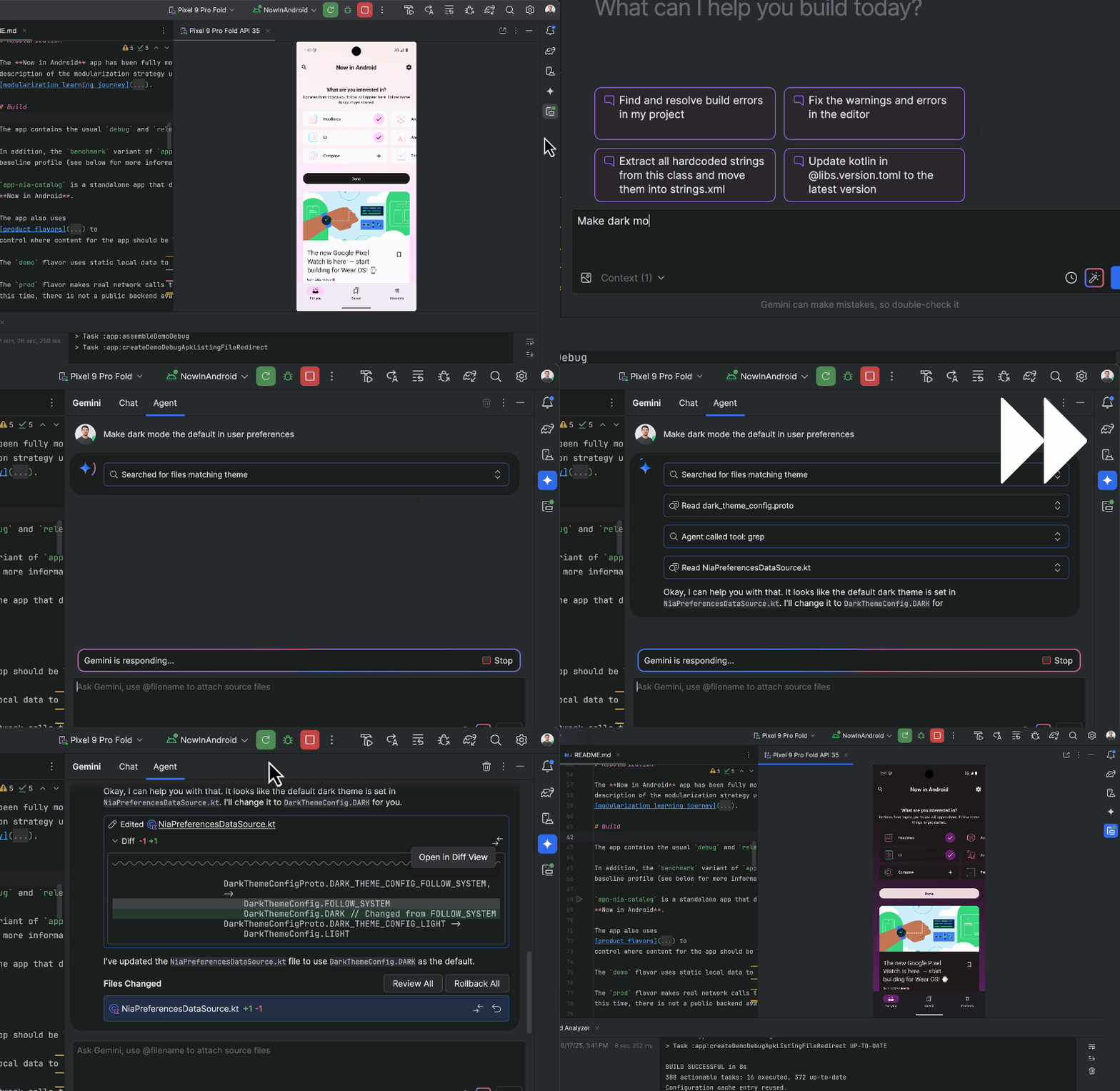
Gemini Code Assist is Google’s enterprise-grade AI for developers. It can read your entire codebase thanks to its massive context window, allowing it to answer questions, suggest refactors, and help navigate complex, multi-file projects. It’s especially useful for large codebases and cloud-native GCP development.
To start using it, install the plugin in IntelliJ or VS Code, connect your Google Cloud project, and use the chat to ask about functions, classes, or files across your repo. You can read more about its features here.
2. The AI-Native Editors
These aren't just plugins. Instead, the entire editor is built around AI.
Cursor
Cursor is a fork of VS Code that integrates AI deeply into your workflow, allowing it to “see” your terminal errors, documentation, and entire codebase. It’s best for rapid iteration, with features like “Tab” that predict your next edit, not just your next word.
To get started, download the Cursor IDE (it imports your VS Code settings), open a file, hit Cmd+K (or Ctrl+K), and type a prompt like “Refactor this component to use React Hooks” to let AI assist you directly in your code. You can learn more about Cursor here.

Firebase Studio & Google AI Studio
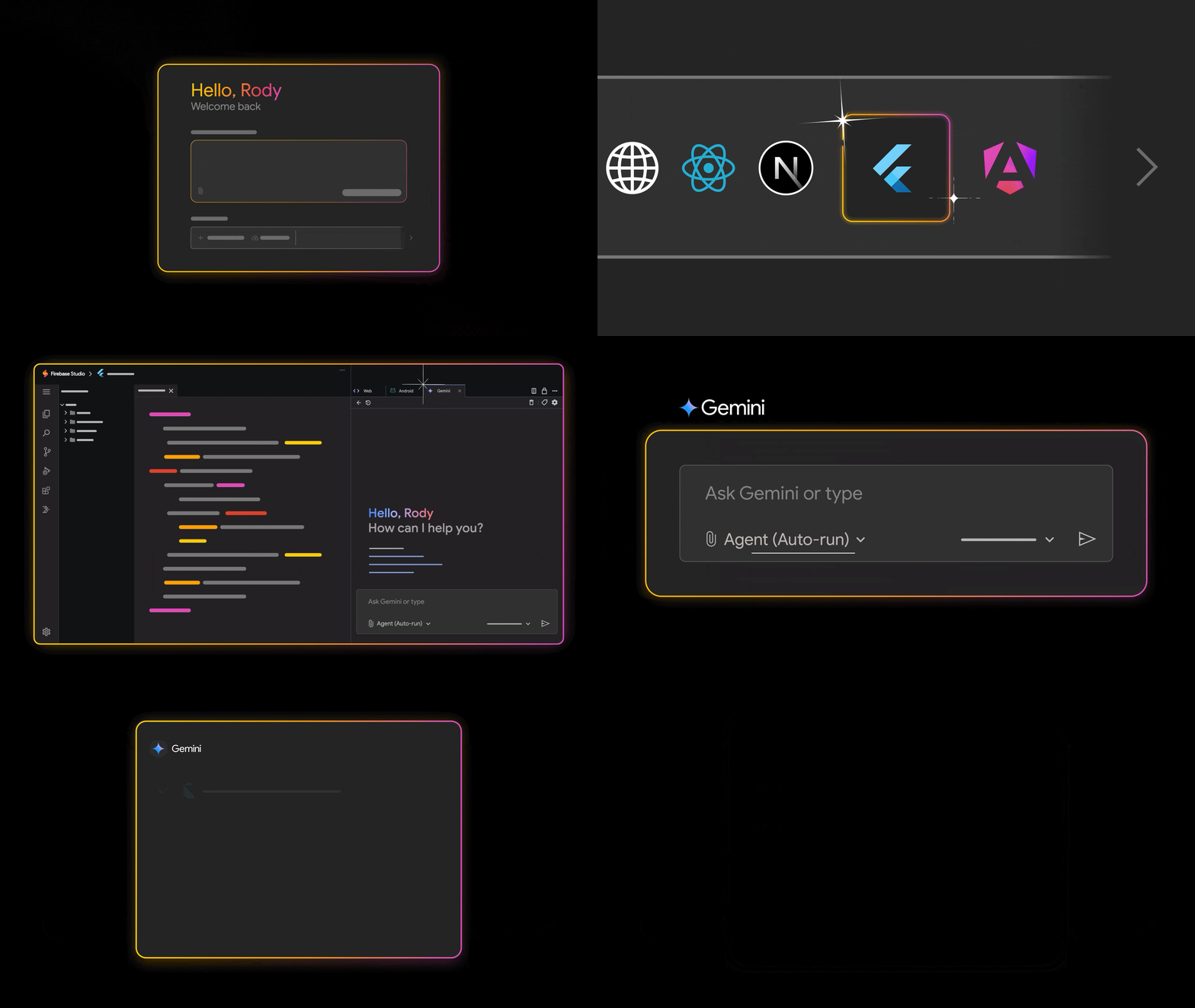
Firebase Studio is a web-based, agentic environment for full-stack development, letting you go from zero to a deployed app quickly using Google’s ecosystem, including Auth, Firestore, and hosting. It combines Project IDX with Gemini to scaffold backend and frontend code simultaneously, making it ideal for building production-ready applications fast.
Google AI Studio, on the other hand, is focused on AI-assisted prototyping and code generation, letting you experiment with prompts, generate snippets, test models, and explore AI-driven ideas before integrating them into a full workflow like Firebase Studio.
To get started, you can learn more about Firebase Studio, and Google AI Studio

Google Anti-Gravity (Agentic AI Developer Platform):
Google Antigravity is an agentic AI–first integrated development environment (IDE) created by Google that embeds autonomous AI agents directly into the coding workflow. This lets them understand codebases, plan and execute multi-step engineering tasks such as feature implementation, refactoring, and debugging, and produce reviewable outputs. It goes beyond traditional autocomplete tools to focus on completing real software development work.
You can learn more about Antigravity here.

3. The "Agentic" Tools (CLI and Servers)
These tools don't just write code – they perform actions (run commands, manage files).
Gemini CLI / Claude Code
Gemini CLI and Claude Code are AI-powered command-line interfaces that let you chat with the AI and have it execute terminal commands for you. They’re best for DevOps tasks, complex refactors across multiple files, and setting up development environments.
To get started, install the CLI via your terminal, authenticate, and then type commands like gemini "analyze the logs in /var/log and summarize errors" or claude "scaffold a new Next.js project with Tailwind" to let AI handle the work directly in your terminal.
To learn more, you can read more about Gemini CLI, and Claude Code here.

MCP Servers (Model Context Protocol)
MCP is an open standard by Anthropic that lets AI securely connect to your data sources, databases, Slack, local files, and more, so it can “know” your specific business context. It’s best for building custom AI workflows that require direct access to proprietary or internal data.
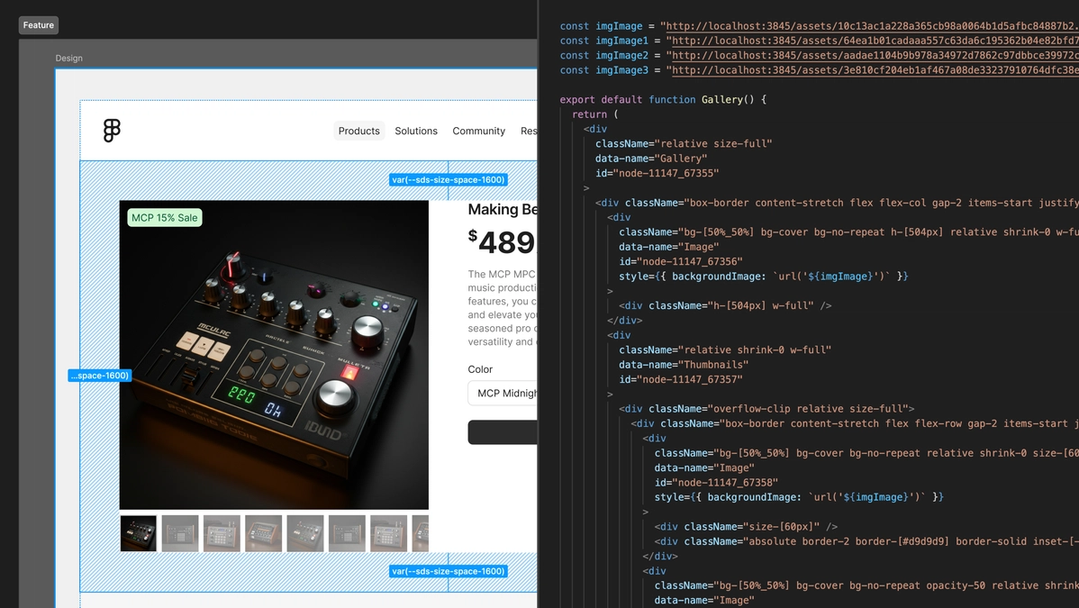
To get started, the process is a bit more advanced than it is for other AI tools. You’ll need to run an MCP server (similar to a local server) that exposes your database to an AI client like Claude Desktop, allowing the AI to safely query your data. For an additional reference, check out the Figma MCP server documentation.
4. The Generators (UI & Full Stack)
These tools focus on generating visual layouts or entire app structures.
v0 / Lovable / Stitch
v0 is a text-to-app tool that converts plain-language prompts into functional UIs. It typically generates React components with Tailwind styling, making it ideal for quickly prototyping dashboards or MVPs.
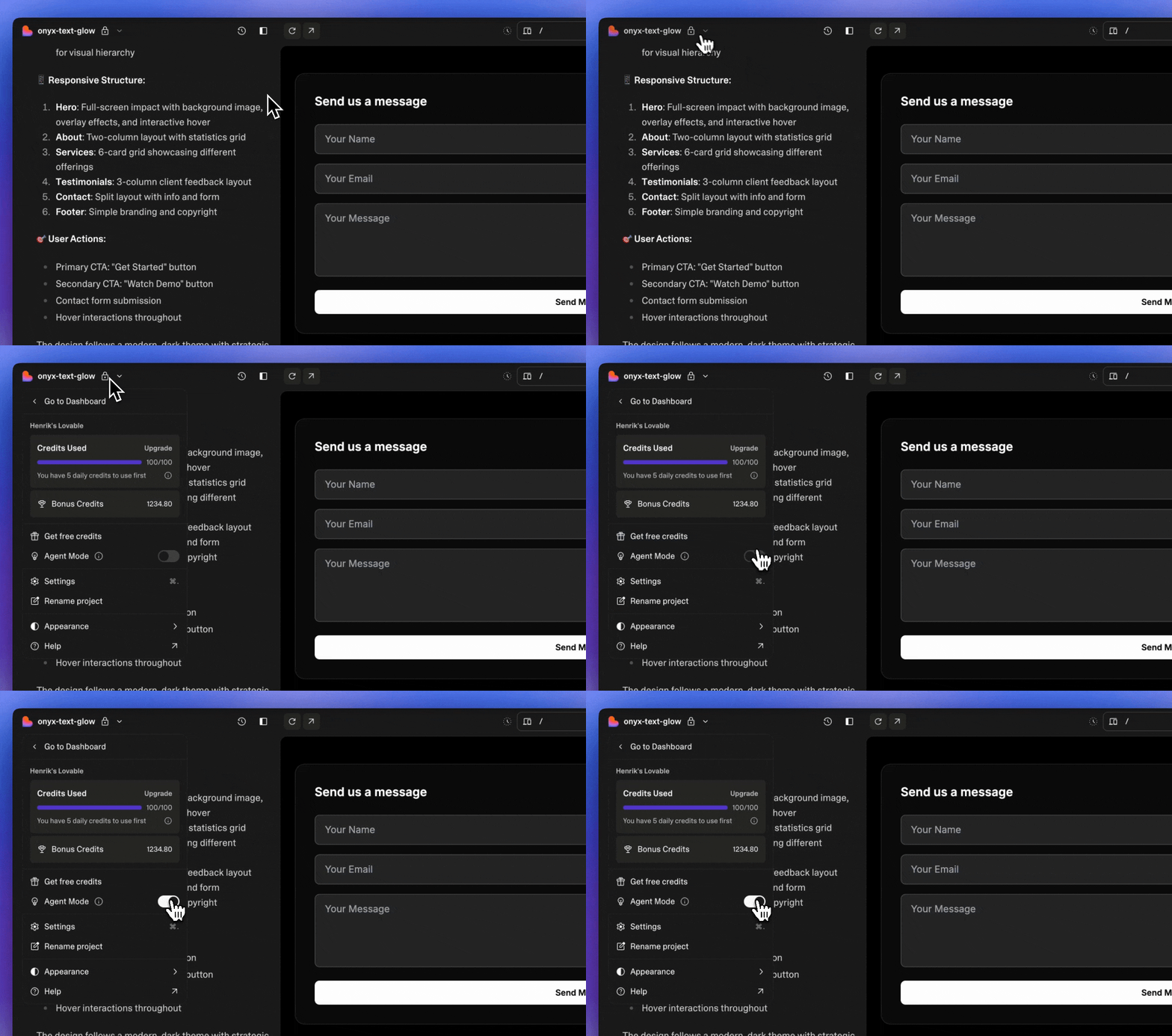
Lovable focuses on rapid frontend prototyping by turning design ideas or written prompts into live web interfaces without manual coding, helping teams iterate visually.
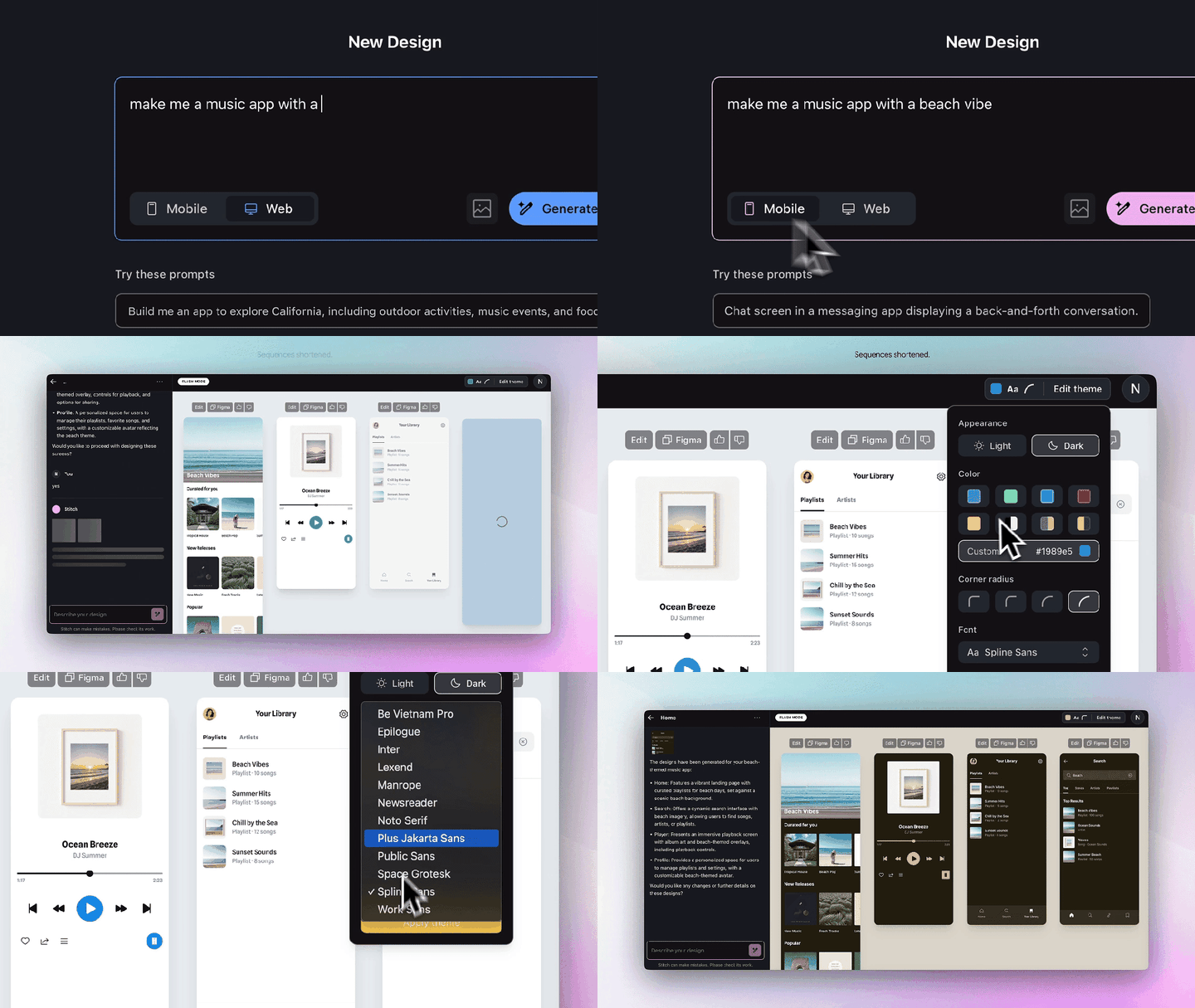
And Stitch specializes in creating complex UI layouts from text, supporting interactive and responsive components, so developers can generate production-ready React/Tailwind code for multi-component pages and copy it directly into their projects.
To get started with these tools, you can check out their docs here:
GenUI SDK for Flutter
This SDK is a tool that lets AI generate UI widgets dynamically based on user conversations, transforming chatbots from simple text interfaces into interactive experiences – like showing a flight picker or other screens. It’s best for building chatbots that need to render “screens” instead of just responding with text.
To get started, you can check out the google/flutter-genui repository, set up a Flutter project that listens to an LLM stream, and render widgets on the fly as the AI responds.
Builder.io Figma Plugin
The Builder.io Figma plugin allows you to take designs created in Figma and automatically convert them into production-ready frontend code or Builder.io components. It bridges the gap between design and development by letting designers and developers quickly turn visual layouts into working web pages or app interfaces, without manually recreating the design in code.
It also supports interactive elements and responsive layouts, making it ideal for rapid prototyping and accelerating the design-to-development workflow.


Now that you’re familiar with some of the most popular AI tools out there right now, you’ll need to know the basics of prompt engineering techniques so you can effectively talk to your LLM.
A Crash Course in Prompt Engineering
"Prompt Engineering" sounds like a buzzword, but it’s actually just referring to effective communication with an LLM. A lot of the bad code generated by AI is the result of lazy or ineffective prompting.
Instead of typing something vague and relatively unhelpful, like*"Write a function to sort a list,"* use the C.A.R. framework:
Context: Who is the AI? What is the environment?
Example: "Act as a Senior Go Engineer. We are working in a cloud-native environment using AWS Lambda."
Action: What specifically do you want?
Example: "Write a function that sorts a list of User objects by 'LastLogin' date. Handle edge cases where the date is null."
Result: How do you want the output formatted?
Example: "Provide only the code snippet and one unit test. Do not add conversational filler."
By constraining the AI, you force it to narrow its probabilistic search, resulting in much higher-quality code.
How to Actually Get Started
You do not need to learn how to use all of these tools – but being familiar with some of them and aware of what’s out there will help prepare you for where software development is heading.
Here’s how you can combat the overwhelm and actually get started honing your skills:
Pick one tool: Start with Cursor or GitHub Copilot. They have the lowest barrier to entry.
Start changing your workflow: Instead of Googling a regex or a Dart string separation syntax, ask the AI to show you an example and explain how it works.
Review everything: Treat the AI like a junior intern. It’s eager to please but often wrong, so make sure you read every line of code it generates and understand how it works.
Prompt iterate: If the output is bad, don't just delete it. Refine your prompt and work with the AI to improve the code. You can say things like "This code is inefficient," or "Use the repository pattern for this."
A Simple Practical Workflow Example
Let’s look at what this looks like in practice. Imagine you need to build a luxury car rental page that displays car categories and vehicle types. This is a classic UI challenge involving structured layouts, clean visual hierarchy, and smooth user interaction.
Step 1: Create a Context-Rich Prompt
Instead of typing "make a car app home page," type this detailed request into Cursor or Copilot:
"Create a Flutter
HomePagewidget for a luxury car rental app. Use aCustomScrollViewwith aSliverAppBarthat expands to show a high-res image of a Featured Car. Below that, include a horizontalListViewfor categories (SUV, Sports, Electric) and a vertical list ofCarCardwidgets. Use a dark theme withColors.grey[900]background and gold accents."

Step 2: The Review (The "Junior Intern" Check)
The AI generates the code, but you won’t want to run it yet. Instead, read through it carefully to catch common Flutter pitfalls, such as placing a vertical ListView inside a CustomScrollView without using SliverList or SliverToBoxAdapter, hardcoding widget heights that can cause overflows on smaller screens, and using NetworkImage without a placeholder or error builder.

Step 3: The Verification
Before adding the widget to your main navigation, carefully review the AI-generated code to ensure it meets quality standards.
You’ll want to check that it follows Flutter best practices, such as proper widget composition and use of const where possible. Make sure it’s memory-safe with no dangling controllers or listeners, and that the code is readable and maintainable with clear variable naming, indentation, comments, and structure. You’ll also want to check that performance is optimized for smooth scrolling, efficient image loading, and minimal widget rebuilds.
For this project, which is just a UI prototype, you don’t need to check things like error handling, accessibility, or security – but for general projects, those additional checks should also be considered.
Only once the code passes these checks should you integrate it into your main project. This step ensures you’re not blindly trusting the AI output but actively confirming that it’s robust, clean, and production-ready.
I copied the code, opened Android Studio, and pasted it into main.dart in a new Flutter project. You can also easily run it on DartPad.dev. Here are the screenshots showing it in action:


Step 4: The Iteration
If you look at the project preview now, you’ll notice the category chips look plain. You can reply to the AI:
"The category chips look boring. Refactor the horizontal list to use
ChoiceChipwidgets with a custom border radius, and add a simpleHeroanimation to the car images so they transition smoothly to a details page."

By following this loop – Prompt, Review, Verify, Iterate – you can solve complex, highly specific Flutter problems without getting stuck in the weeds, while ensuring the final code is memory-safe and robust.
The quality of the output is also determined by the model you use. Strong reasoning-focused models like Claude Opus 4.5, Gemini 3 Pro, and similar high-capacity models tend to produce more accurate architectural decisions, cleaner Flutter patterns, and fewer subtle lifecycle or performance issues.
Security and Ethics
As we rush to adopt these tools, it is easy to overlook the implications of sending our code to third-party servers.
The primary security risk is data leakage. When you paste API keys, database credentials, or proprietary algorithms into a public LLM, that data leaves your local machine. If the model providers use your chat history to train future versions of their models, your trade secrets or private keys could theoretically be surfaced in another user's autocomplete suggestions months later. This is why "sanitizing" your input, removing secrets and PII (Personally Identifiable Information), is non-negotiable.
Beyond security, there are significant ethical and legal gray areas regarding copyright and ownership. Since LLMs are trained on billions of lines of open-source code, there is an ongoing debate about whether AI-generated code infringes on existing licenses. If an AI reproduces a specific, licensed algorithm verbatim without attribution, using that code in a commercial product could expose your company to legal liability.
To combat these risks, you should advocate for enterprise-grade agreements (like GitHub Copilot Business), which contractually guarantee that your code will not be used for model training. If you cannot afford enterprise tiers, consider using local, open-weights models (using tools like Ollama) for sensitive tasks, ensuring your data never leaves your network.
Finally, always keep a "human in the loop." AI should be treated as a drafting tool, not a decision-maker, ensuring that a human is always accountable for the final output.
Conclusion
I haven’t fully mastered using AI myself, but my perspective has shifted: while some tools still feel experimental, many are already solving real problems and making development easier, the very purpose computers were designed for.
Don’t let the fear of being “replaced” paralyze you. The developers at the most risk are those who refuse to adapt. Take control, experiment, and integrate AI into your workflow.
Now is the time to put this into practice. Start small by testing a specific prompt in a tool like Cursor or Gemini, or challenge yourself with a timed mini-project to simulate an AI-assisted workflow, similar to an interview scenario. These exercises will give you hands-on experience and reveal how AI can amplify your skills, streamline repetitive tasks, and unlock new ways of solving problems.
The future of development isn’t about AI replacing you. Rather, it’s about using it to make you a faster, smarter, and more capable developer.
References:
1. General AI in Software Engineering
Sundar Pichai on AI Code at Google: On Alphabet’s Q3 2024 earnings call, CEO Sundar Pichai revealed that more than 25% of all new code at Google is generated by AI, then reviewed and accepted by engineers. This is a massive benchmark for "The Reality of AI Development."
The Model Context Protocol (MCP) Announcement: This is the official introduction of the open standard you mentioned in your "Agentic Tools" section. It was created by Anthropic and recently donated to the Agentic AI Foundation under the Linux Foundation.
The Google Antigravity Announcement: This is the official introduction of Google Antigravity, an agentic AI development platform by Google that embeds autonomous AI agents directly into the software development workflow. It introduces an agent-first IDE experience where AI can plan, execute, and verify complex engineering tasks across the editor, terminal, and connected tools, moving beyond traditional code completion or chat-based assistance.
2. Deep Dives into the Toolkit
Cursor’s "Composer" and Visual Editor: Cursor recently released a visual editor that allows you to drag-and-drop elements and edit code through a browser preview, which bridges the gap between design and code.
GitHub Copilot Agents & MCP: GitHub has officially integrated MCP into Copilot, allowing the coding agent to connect to external tools like Slack, Jira, or your own local databases.
Claude Code CLI (Autonomous Tasks): Documentation on how the Claude CLI handles "checkpointing," allowing you to rewind code if an autonomous agent goes down the wrong path.
3. Frontend & UI Generation
v0 by Vercel: Vercel’s official platform for "Generative UI." It uses React, Tailwind, and Shadcn UI to turn prompts into full-screen previews.
GenUI SDK for Flutter: The official documentation for the Google/Flutter team's "Generative UI" experiment, which allows AI to render widgets on the fly.
4. Developer Productivity Research
GitHub Data on Developer Velocity: GitHub’s research shows that developers using AI complete tasks up to 55% faster than those who don't.