

For years, developers have been told that coding was their primary job. They were encouraged to write clean code, learn tools, understand frameworks, and ship features faster.
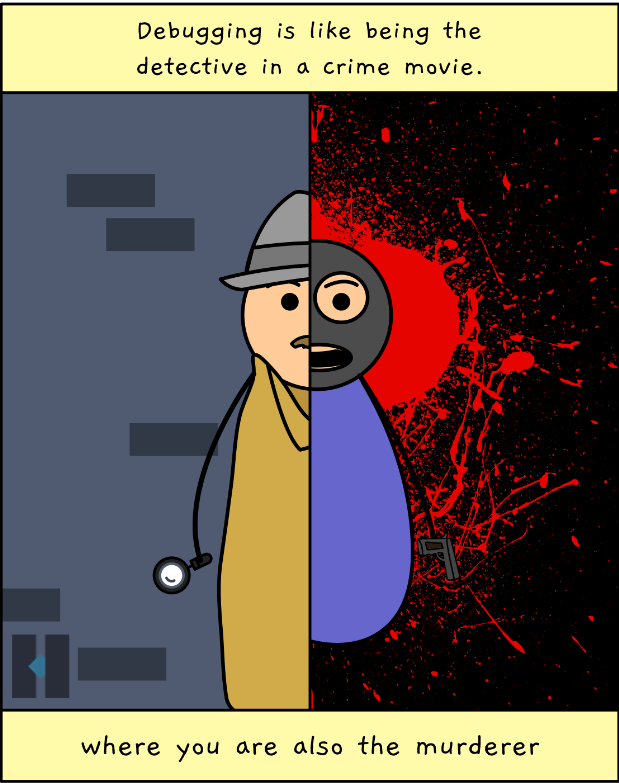
But in the actual world of Software Engineering, especially in product-focused companies and customer-facing systems, coding is only half the work. The other half is just as important, and it’s the process called Debugging.
Table of Contents
What is Debugging?
Debugging is the practice and methodology developers use to identify issues or problems within a system. Usually, an issue or an unexpected behaviour/problem is known as a bug. The process of debugging, then, is to identify the bug – followed by an attempt to eliminate it or fix it.
Debugging becomes necessary when assumptions break, customers report issues, products behave unexpectedly, or metrics go red. It’s the practice that keeps a software product reliable, teams calm, and users trusting what you build.
Yet, strangely, debugging rarely gets the same respect and attention as coding. It’s often treated as a necessary evil, something that you “figure out along the way” rather than a skill to be learned deliberately.
Why this Guide?
The general neglect of basic debugging skills is catching up with us.
Today, with AI tools, generating code is easier than it has ever been. You can create boilerplate, scaffold components, write functions, establish relations, and even build entire applications in minutes.
But when things go wrong (as they always do), AI doesn’t sit with your product logs, customer complaints, partial failures, and confusing edge cases. Debugging still falls to the human to tackle, and that’s where many devs struggle.
Over the last two decades, I’ve build many products and worked with many developers across experience levels. I’ve noticed a consistent pattern: most debugging failures are not tool failures. They are thinking failures. People jump to fixes too quickly. They start guessing. They panic. They change code without understanding why it broke in the first place.
That’s why I am writing this debugging mindset tutorial. This guide will NOT:
Teach you tools
Share tricks
But it will enable you to think things through when things break.
Alongside this article, I’m also creating a free YouTube course called “Thinking in Debugging”. It’s a practical series on how professional developers approach debugging in JavaScript, React, CSS, and real-world frontend systems. Here is the first session from the course:
In modern software development, writing code gets you started. But debugging is what makes you reliable. Reliability is the most important trait both an engineer and a product must have.
Why is Debugging Hard?
Here’s how most developers debug code:

Something is broken
Let me change the line
Let’s refresh (wishing the error would go away)
Hmm… still broken!
Now, let me add a console.log()
Let me refresh again (Ah, this time it may…)
Ok, looks like this time it worked!
This is reaction-based debugging. It’s like throwing a stone in the dark or finding a needle in a haystack. It feels busy, it sounds productive, but it’s mostly guessing. And guessing doesn’t scale in programming.
This approach and the guessing mindset make debugging hard for developers. The lack of a methodology and solid approach makes many devs feel helpless and frustrated, which makes the process feel much more difficult than coding.
This is why we need a different mental model, a defined skillset to master the art of debugging. Let’s understand what a mental model is and what the debugger’s mindset should be.
What is a Mental Model?
A mental model drives us to think and make decisions. Our brain is at the centre of it. It collects information, processes it, and helps us make those decisions.

When we encounter an issue in programming and we need to find the root cause to fix it, we need to rely on various information and inputs to make logical decisions. We need to create a mental model.
Good debuggers don’t fight bugs. They investigate them. They don’t start with the mindset of “How do I fix this?”. They start with, “Why must this bug exist?” This one question changes everything.
When you ask about the existence of a bug, you go back to the history to collect information about the code, its changes, and its flow. Then, you feed this information through a “mental model” to make decisions that lead you to the fix.
Now, let’s learn about this debugging mental model. This isn’t merely a tool – this is a way of thinking.
The Debugging Mental Model Framework
Before we take a deep dive into the debugging mental model, the key idea is that you never touch the fix until the hypothesis survives reality.
So in this context, what does hypothesis mean?
A Hypothesis is an idea that is suggested as the possible explanation for something but has not yet been found to be true or correct.
With this, let’s get started understanding the debugging mental model framework. It consists of multiple steps or phases that you must go through to find the root cause of a bug and fix it. Once you understand the framework, we’ll apply it to an actual bug in some JavaScript code to make our learning practical.
Let’s Go.
Step 1: Bug Found

The first step is identifying the bug. You or someone else (QA, Customer, and so on) has found that something is wrong. It could be a UI glitch, the wrong output, slow performance, or anything else that is not working as promised and expected.
At this stage, the unexpected behaviour should be documented with enough proof, like logs, screenshots, and steps, for anyone else to reproduce the bug easily. As a developer, don’t panic that something isn’t working as expected. Also, don’t code yet.
Step 2: Define the Facts

Once the bug is found and reported, the next stage is defining or establishing the facts. Facts are things that you can prove, not guesses. For example:
This component renders twice.
This API returns correct data.
This function receives a string, not a number.
Here are a few examples of guesses, but not facts:
React is acting weird.
The API must be slow.
This worked yesterday.
It works on my machine 😁.
Defining facts means writing down only what you can prove. What actually happened? What did the user see? What error was thrown? What data was received? Facts are observable, repeatable, and not an outcome of your emotions.
Defining the facts also empowers you to be aware of the code flow and business cases. So this phase is your opportunity to carefully review the code, requirements, and learn about it, irrespective of who wrote it. Once you know the facts, note them down.
Step 3: Identify Your Assumptions

Every bug is based on a broken assumption. Assumptions often feel harmless because they usually work, until they don’t. Examples:
I assumed this was a number.
I assumed useEffect would run only once.
I assumed the state updates immediately.
I assumed the API always returns data.
Here, the goal is to surface those hidden beliefs. Ask yourself, what must be the actual reason for this code to work as expected? The moment your answer is an assumption, you’re off track. You then recollect, think carefully, stop blaming the system, and start questioning the mental model.
Most bugs are not caused by bad code, but by unverified assumptions.
Step 4: Form a Hypothesis

This is where the actual debugging of the code begins. Once the facts are clear and assumptions are visible, the debugging makes its way forward.
Now you’ll need to form a hypothesis. A hypothesis is a simple cause-and-effect statement: If this assumption is wrong, then the behaviour makes sense. If not, provide a fix.
You may have logs from customers and the best debugging tools from management. But without a good hypothesis, logs become noise and tools become unnecessary. With a good hypothesis, debugging stops being reactive and becomes investigative.
Step 5: Verify the Hypothesis

A hypothesis has no value without meeting reality. You’ll need to verify if your hypothesis is realistic. How do you do that? This is where you use the tools with a purpose. A console.log() statement, a breakpoint, and a network inspection are some of the actions you can perform to answer the question: Is my hypothesis true or false?
If the hypothesis fails, you discard it and move to the next. That’s progress, not failure. On the other hand, if the hypothesis holds, the fix should become clear. You’re no longer making code changes to make the bug disappear suddenly – rather, you’re correcting the root cause.
Putting Everything Together
As we now understand each of the phases, let’s visualise them together and see the bigger picture. I would encourage you to take a pause here and look carefully at each of the boxes below. Now, try processing your understanding from whatever you learned so far about them. Promise yourself that you will apply these to your day-to-day development journey.

Sounds good? Theoretically, it does. But you may have doubts about how all these strategies can work practically. Now, we will apply these to a problem statement and see the practicality of it.
How to Apply the Debugging Mindset Framework to Code
Let’s take an example of a bug that has confused millions of developers across the globe 😀.
Here’s the code:
function fetchUser() {
  let user;

  setTimeout(() => {
    user = { name: "Alex" };
  }, 1000);

  return user;
}

console.log(fetchUser());
The Output: It logs undefined to the browser’s log.
The Bug: I Set the User… Why is it undefined?
Now, let’s apply the debugging mental model framework.
Step 1: Bug Found
Here, the observation is that the function returns undefined. There are no errors in the console. The code looks correct. The scariest bugs are the ones that don’t throw errors.
Step 2: Define the Facts
So, what are the provable facts you see here?
fetchUser() runs.
setTimeout is scheduled.
return user runs.
The user is undefined at return time.
Remember that facts are the things you can prove, not what you believe.
Step 3: Identify Your Assumptions
Now, ask yourself, “What am I assuming here?”. Here are a few common beginner assumptions for this case:
JavaScript runs line-by-line synchronously.
The setTimeout blocks execution.
Code waits for 1 second.
The user variable is assigned before the return from the function.
Most async bugs come from the assumptions about execution time.
Step 4: Form a Hypothesis
Next, we need to form a hypothesis to introduce structured thinking. The function returns undefined. If our assumptions were right, the user variable should have the assigned value. It seems that there’s something wrong with the assumptions.
Does the setTimeout really block execution?
Does the code really wait for 1 second?
If JavaScript doesn’t wait for setTimeout, then
return userwill execute before the assignment. This is how the user variable could be undefined. It seems like we’re dealing with theAsyncoperation here. This is the aha moment – that’s our hypothesis.
We aren’t fixing anything yet. We’re predicting behaviour.
Step 5: Verify or Kill the Hypothesis
Now, we need to verify our hypothesis. Let’s use console.log() for that. We’ll add two logs, one inside the setTimeout before assigning the user variable value, and the other just before returning the user from the function.
function fetchUser() {
  let user;

  setTimeout(() => {
    console.log("Inside timeout");
    user = { name: "Alex" };
  }, 1000);

  console.log("Before return:", user);
  return user;
}

console.log(fetchUser());
Execute the code, and here are the observations:

“Before return:” logs first.
“Inside timeout” logs later.
This means that our hypothesis survives the reality. We proved that debugging is not guessing – it’s about ordering the execution time correctly in our heads.
Step 6: Fix With the Proof
Now our fix becomes obvious, not a guess or magic. If we want the user’s value to be logged instead of undefined, we can fix it in multiple ways, like using a callback function or a promise object.
- With a callback: Define a callback function that gets called after the time expires. The callback function takes the value as a parameter and assign to the user before logging it to the console.
function fetchUser(callback) {
  setTimeout(() => {
    callback({ name: "Alex" });
  }, 1000);
}

fetchUser(user => console.log(user));
- With Promise Object: Alternatively, we can use the Promise object. The promise resolves after 1 second, and we log the user details with the help of the
.then()handler method.
function fetchUser() {
  return new Promise(resolve => {
    setTimeout(() => {
      resolve({ name: "Alex" });
    }, 1000);
  });
}

fetchUser().then(user => console.log(user));
Let’s now visualise all the stages together with respect to the problem we discussed:

The Debugging Mindset Framework is Tool Agnostic
Note that the debugging mental model teaches you how to observe, think through, and justify your beliefs to find the root cause of the issue. Once confirmed, you need to use your programming language knowledge and coding skills to implement the fix. The debugging mindset or mental model framework itself is technology and tool agnostic.
It doesn’t belong to JavaScript, React, Python, or any specific tool. The need for facts, assumptions, hypotheses, and verification exists in every technology stack. Today, you might be debugging a React component. Tomorrow it could be CSS layout, backend logic, or a memory leak. The same thinking applies. This is why experienced developers adapt more quickly to new programming languages, frameworks, or tools. They carry this mindset with them.
What’s Next?
Technologies evolve, frameworks come and go, but the debugging mental model framework remains constant. So focus on that. Have a mindset to own up to the issues you’ve found in a software product. No development is bug-free. You create bugs sometimes, so you should just proudly own them. And now, you should have the mindset to confidently fix them.
I would like to invite you to join my free course Thinking in Debugging. In it, we won’t only set up this mental model, but also realise it by debugging JavaScript, React, and CSS with DevTools, Debugger, and Profiler.
Before We End...
That’s all! I hope you found this article insightful.
Subscribe to my YouTube Channel.
Check out my courses, 40 Days of JavaScript and 15 Days of React Design Patterns.
Follow on LinkedIn if you don't want to miss the daily dose of up-skilling tips.
Join my Discord Server, and let’s learn together.
Follow my work on GitHub.
See you soon with my next article. Until then, please take care of yourself and keep learning.