

Cloudflare Tunnel is a secure tunneling solution that allows developers to expose local applications and private services to the internet without opening inbound ports or changing firewall rules.
Instead of accepting direct incoming traffic, Cloudflare Tunnel creates an outbound connection to Cloudflare's network and routes requests through its global edge infrastructure. This approach improves security while making services accessible from anywhere.
Developers commonly use Cloudflare Tunnel for exposing local applications, testing webhooks, accessing internal tools remotely, and publishing self-hosted services.
One of its biggest advantages is its integration with the broader Cloudflare ecosystem. Teams can combine tunnels with Cloudflare Access, DNS management, and Zero Trust security policies to create a secure access layer for their applications.
Cloudflare Tunnel is an excellent choice for many use cases. But some teams need features that it doesn't prioritise, such as complete infrastructure control, support for additional protocols, built-in debugging tools, or fully self-hosted, open-source solutions. Others may prefer alternatives that integrate more closely with their existing networking platforms.
As the tunneling ecosystem has grown, several alternatives have emerged that focus on different priorities such as developer experience, security, flexibility, and infrastructure control.
In this article, we'll explore five of the best Cloudflare Tunnel alternatives and help you choose the right solution for your use case.
What We'll Cover:
1. LocalXpose
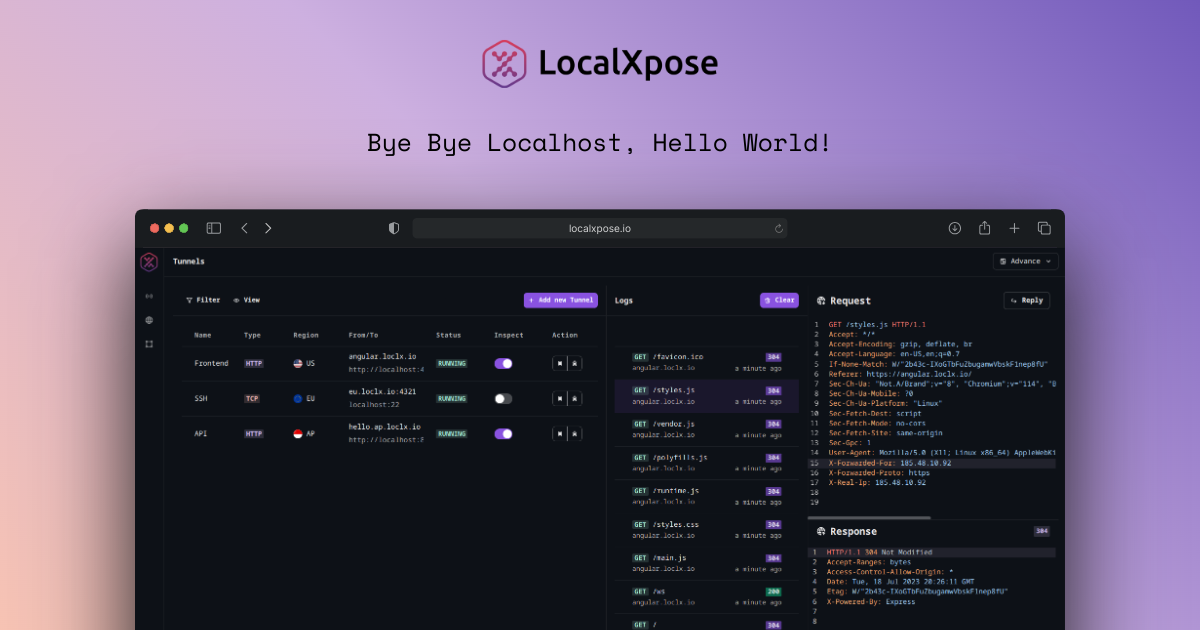
LocalXpose is a tunneling and reverse proxy solution designed for developers who need to expose local applications and services to the internet quickly. It supports multiple tunnel types, including HTTP, HTTPS, TCP, TLS, and UDP, making it suitable for a wide range of development workflows.
LocalXpose's standout features are traffic inspection. Developers can inspect incoming requests and replay them when testing webhooks, APIs, and third-party integrations. This makes debugging much easier compared to tools that simply forward traffic.
The platform also supports custom domains and multiple tunnels from a single configuration. This is useful when working with microservices or applications that require several public endpoints.
From a usability perspective, LocalXpose focuses on simplicity. Developers can create tunnels quickly using the CLI without dealing with complex networking configurations.
The drawback is that LocalXpose relies on managed relay infrastructure rather than a fully self-hosted deployment model. Teams with strict infrastructure requirements may prefer self-hosted alternatives.
For most developers, though, LocalXpose offers a strong balance of ease of use, protocol support, and debugging capabilities. It's an excellent choice for exposing local applications, testing webhooks, and sharing development environments.
Pricing: LocalXpose offers a free plan for getting started, while paid plans unlock additional features such as custom domains, higher usage limits, and advanced capabilities. This makes it suitable for both individual developers and teams that need more production-ready functionality.
2. Tailscale Funnel
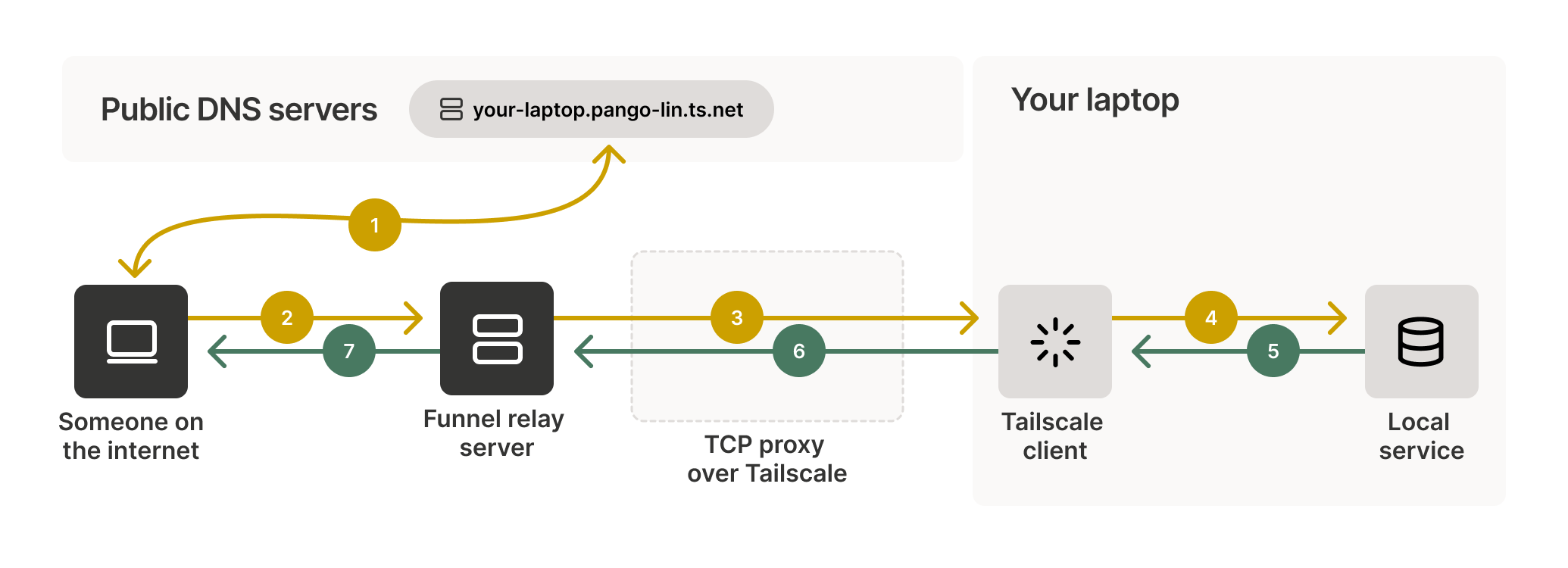
Tailscale Funnel takes a different approach to tunneling than most traditional tools. Built on top of Tailscale's WireGuard-based mesh VPN, it allows developers to securely expose services running inside their private network to the public internet.
The main advantage of Tailscale Funnel is its security-focused design. Instead of relying entirely on a central relay service, Tailscale creates encrypted connections between devices whenever possible. This makes it a popular choice for teams that already use Tailscale for remote access and secure networking.
Tailscale Funnel extends this private network by allowing selected services to be shared publicly. This makes it useful for demos, testing environments, and self-hosted applications that need external access.
The other benefit is its integration with the broader Tailscale ecosystem. Teams can manage devices, access controls, and network permissions from a single platform rather than using separate tools for networking and tunneling.
The drawback is that Tailscale Funnel can be more complex than developer-focused tunneling solutions. Developers looking for a simple "create a tunnel and get a URL" experience may find the networking concepts less straightforward.
For teams that prioritise secure networking and already use Tailscale, Funnel provides a powerful way to expose services without sacrificing security.
Pricing: Tailscale offers a generous free plan for personal use and small teams. Organisations that need advanced administration, security, and compliance features can upgrade to one of its paid plans.
3. Inlets
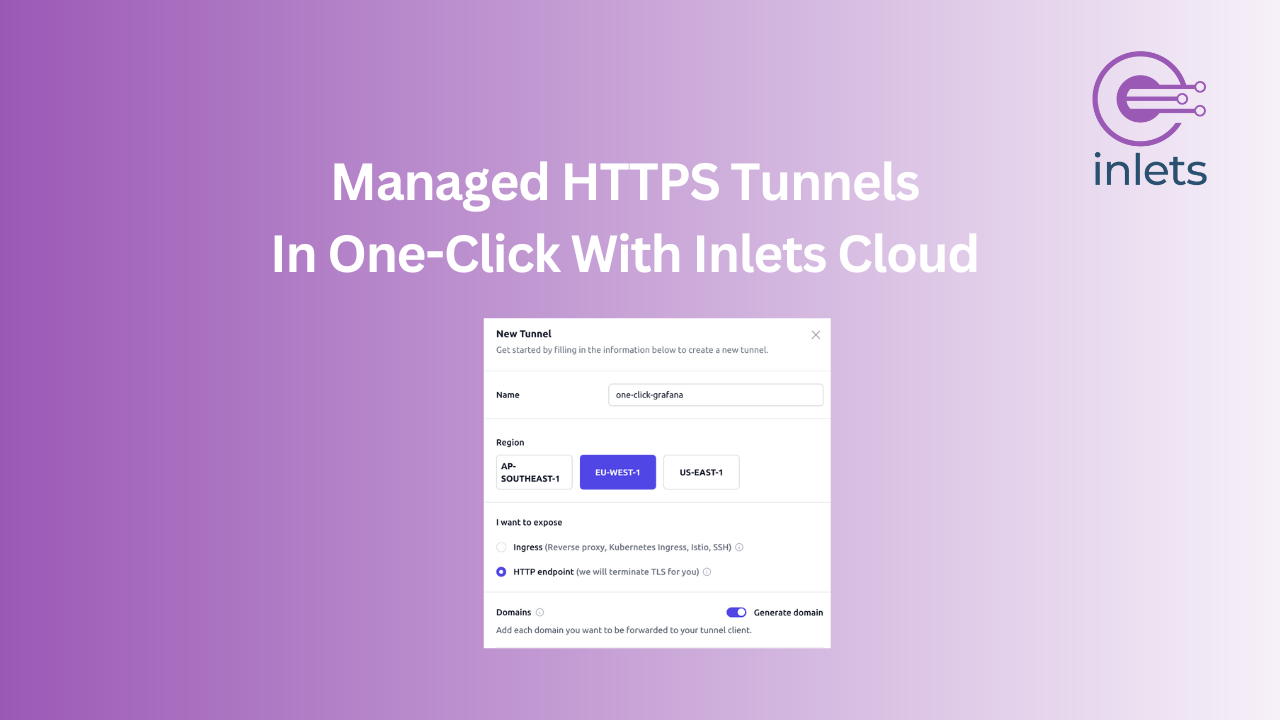
Inlets is a self-hosted tunneling solution designed for developers and teams that want more control over their infrastructure. Instead of relying on a managed relay service, Inlets allows you to run your own tunnel server in the cloud and securely connect services running on your local machine or private network.
Inlets' biggest strengths are its cloud-native design. It works particularly well with Kubernetes and containerised workloads, making it a popular choice among DevOps engineers and platform teams.
Because the tunnel server runs on infrastructure you control, Inlets gives you greater ownership over security, availability, and network configuration. This can be an important advantage for organisations with compliance requirements or strict security policies.
The other benefit is flexibility. Inlets supports exposing services across cloud environments and private networks without requiring inbound ports to be opened on the origin system.
The drawback is that Inlets requires more setup than fully managed tunneling services. Developers need to provision and maintain a server, which adds operational overhead compared to solutions that work out of the box.
For teams that want a self-hosted, cloud-friendly alternative to Cloudflare Tunnel, Inlets provides a powerful balance between flexibility and control.
Pricing: Inlets uses a commercial licensing model and also requires you to run your own cloud server. While this introduces some infrastructure costs, it provides complete ownership over your networking environment.
4. FRP (Fast Reverse Proxy)

FRP (Fast Reverse Proxy) is an open-source reverse proxy application that allows developers to expose services running behind NATs and firewalls to the public internet. Unlike managed tunneling services, FRP is fully self-hosted, giving users complete control over their networking infrastructure.
FRP's biggest strengths are its flexibility. It supports multiple protocols, including TCP, UDP, HTTP, and HTTPS, making it suitable for a wide range of use cases beyond web applications.
Because it's self-hosted, FRP gives organisations full control over their traffic, security policies, and deployment environment. This makes it a popular choice for teams that want to avoid relying on third-party relay services.
The other advantage is its performance and customisation. Developers can configure routing, authentication, and networking behaviour to fit their specific requirements.
The tradeoff is that FRP requires more networking knowledge than most managed tunneling solutions. Initial setup and ongoing maintenance can be more involved, especially for teams without infrastructure experience.
For developers and organisations that want a powerful self-hosted tunneling solution with advanced networking capabilities, FRP remains one of the most flexible alternatives available.
Pricing: FRP is completely free and open source. Since you host both the client and server yourself, your primary costs are the infrastructure needed to run the tunnel server.
5. Tunnelmole

Tunnelmole is an open-source tunneling tool designed to help developers expose local applications to the internet with minimal setup. It focuses on simplicity, making it a good option for developers who want a lightweight alternative to larger tunneling platforms.
Tunnelmole's biggest advantage is its ease of use. Developers can quickly create public URLs for local applications without dealing with complex networking configurations. This makes it particularly useful for testing, demos, and sharing work in progress.
As an open-source project, Tunnelmole also appeals to developers who prefer transparent tooling. Users can inspect the source code, contribute to the project, or self-host components if needed.
The other benefit is its developer-friendly workflow. Tunnelmole is designed to get developers up and running quickly, allowing them to focus on building applications rather than managing infrastructure.
The tradeoff is that Tunnelmole doesn't offer the same level of advanced networking features, security integrations, or infrastructure control found in some enterprise-focused solutions. Teams with more complex requirements may need a more comprehensive platform.
For developers looking for a simple, open-source way to expose local applications during development, Tunnelmole is a practical and easy-to-use alternative to Cloudflare Tunnel.
Pricing: Tunnelmole is free and open source. Developers can use the hosted service where available or self-host the project, paying only for the infrastructure they choose to run.
Choosing the Right Cloudflare Tunnel Alternative
Choosing a Cloudflare Tunnel alternative depends on your priorities. Some developers want a simple way to expose local applications, while others need advanced networking features or complete control over their infrastructure.
If you want an easy-to-use tunneling solution with support for multiple protocols, traffic inspection, and custom domains, LocalXpose is one of the strongest options available. It's particularly useful for webhook testing, API development, and sharing local applications during development.
If security and private networking are your main concerns, Tailscale Funnel is worth considering. It combines tunneling with Tailscale's secure mesh networking model, making it a good fit for teams that already use Tailscale.
For teams that want greater infrastructure control, Inlets provides a self-hosted approach that works especially well with Kubernetes and cloud-native environments.
FRP is a strong choice for developers who need a highly flexible self-hosted solution. Its support for multiple protocols and advanced networking configurations makes it suitable for more complex deployments.
If you prefer open-source tools and need a lightweight solution for local development, Tunnelmole offers a simple way to expose applications without additional complexity.
Ultimately, the right choice depends on how you build and deploy applications. Some teams prioritise simplicity, while others focus on security, flexibility, or infrastructure ownership.
Final Thoughts
Cloudflare Tunnel remains a popular choice for securely exposing applications and services to the internet. Its integration with Cloudflare's broader security and networking platform makes it a strong option for many teams.
But it's no longer the only solution available. Today's tunneling ecosystem offers a variety of alternatives that focus on different priorities, including developer experience, security, self-hosting, and infrastructure control.
LocalXpose stands out as a developer-friendly option with support for multiple protocols, traffic inspection, and an easy setup process. Tailscale Funnel brings a security-first approach through its mesh networking model. Inlets and FRP give teams greater control through self-hosted deployments, while Tunnelmole provides a lightweight open-source option for local development.
The best choice ultimately depends on your requirements. And by understanding the strengths and tradeoffs of each tool, you can choose the solution that best fits your workflow and infrastructure needs.
Thanks for reading.
If you enjoyed this article, you can find more tutorials on self-hosting, Kubernetes, DevOps, and open-source software on my blog.
You can also connect with me on LinkedIn to follow my latest articles and projects.